Destiny 2 uses BattlEye anti-cheat on PC. If you searched for “Destiny 2 anti cheat” after a failed launch or a suspicious match, that name only answers part of the question.
A service error, blocked program, and account ban need different responses.
We’ll explain what runs on your computer, what the common errors mean, and which rules apply before you start changing settings.
Table of Contents
- What anti-cheat does Destiny 2 use?
- Is Destiny 2 anti-cheat kernel-level?
- What changed in Destiny 2 anti-cheat in 2026?
- PLUM, PLUOT, or a ban: which problem do you have?
- How to troubleshoot Destiny 2 BattlEye errors
- What can get you banned in Destiny 2?
- Does Destiny 2 anti-cheat work on Steam Deck?
- How to report a suspected cheater or appeal a ban
- Key takeaways
- Destiny 2 anti-cheat FAQ
What anti-cheat does Destiny 2 use?
Bungie’s BattlEye support guide identifies BattlEye as Destiny 2’s anti-cheat service.
Bungie introduced it with Update 3.3.0 on August 24, 2021.
On PC, installation is required to play. BattlEye accompanies the game, so choosing a PvE activity instead of Crucible does not give you an option to turn it off.
Use your platform’s launcher to start Destiny 2.
Bungie specifically lists Steam, Microsoft PC, and Epic Games Store; launching directly from the installation folder can produce an anti-cheat sign-in error.
BattlEye is also only part of the picture. Bungie can change its back-end systems and investigate reports independently of whatever message you see in the BattlEye launcher.
Is Destiny 2 anti-cheat kernel-level?
Yes. Destiny 2’s Steam listing identifies BattlEye as kernel-level anti-cheat.
This means its driver operates with deep operating-system privileges, rather than only the permissions of an ordinary desktop application.
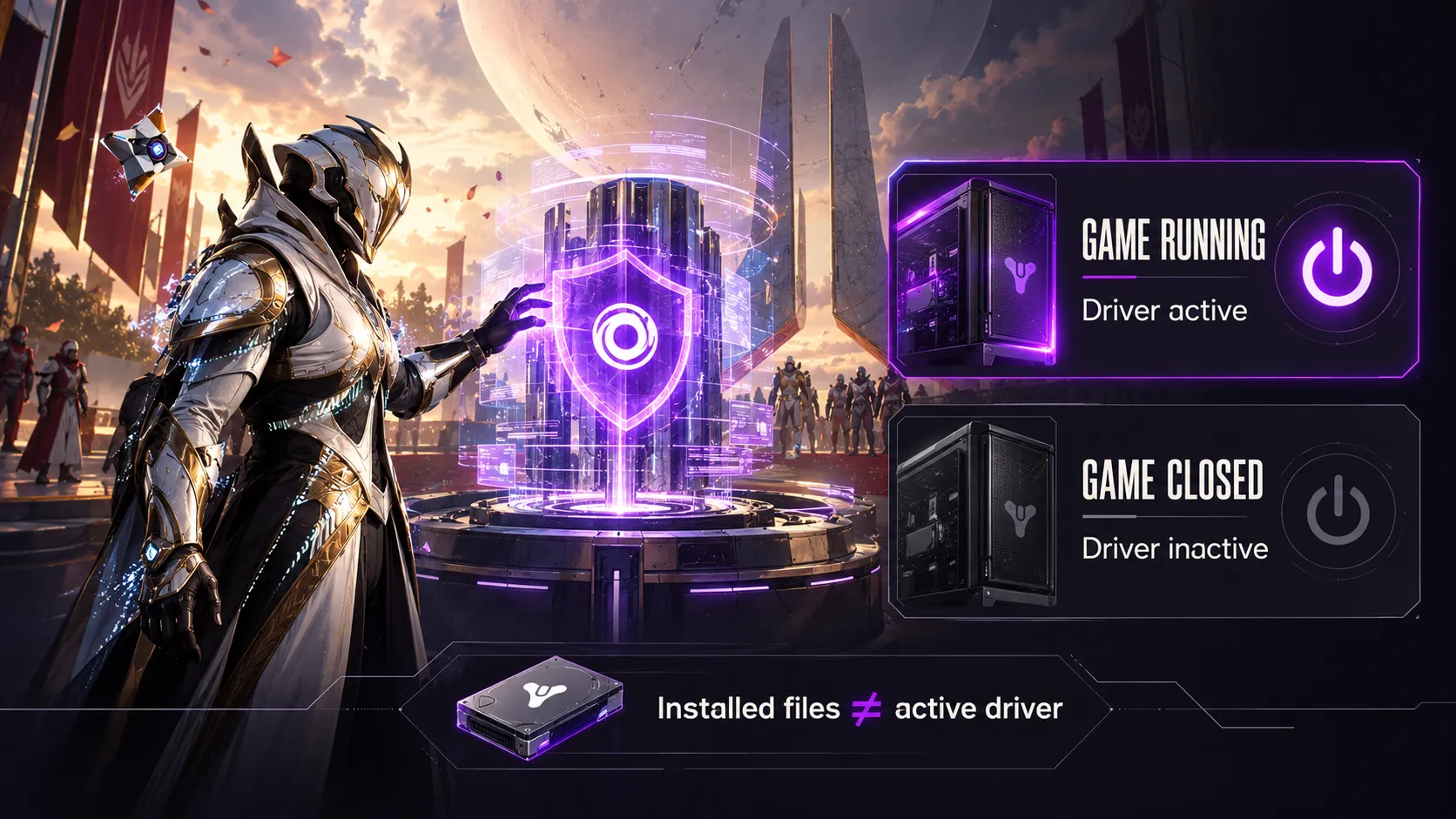
In its launch announcement, Bungie said BattlEye’s driver runs while Destiny runs. Its support guide likewise describes BattlEye as active when the game is running.
Installed files and an active driver are different things.
The Steam listing warns that BattlEye requires manual removal after uninstalling the game. Leftover installation files do not, by themselves, establish that its driver is running.
What can BattlEye access?
BattlEye’s privacy policy lists categories such as:
- Account and hardware identifiers
- Running processes and drivers
- Information about game-related or operating-system files and memory
These are the vendor’s stated processing categories, not a published map of Destiny 2’s detection rules.
They do not tell us which specific signal caused an individual kick or ban.
Be cautious with explanations that claim to identify an exact detection trigger without evidence.
What changed in Destiny 2 anti-cheat in 2026?
One confirmed change came in Update 9.7.0.5 on October 7, 2026.
Bungie changed back-end code to address cases where cheats could send other players unearned rewards and XP.
Bungie said it was taking action against accounts using those cheats maliciously.
It also said innocent players who had not sought the cheats or their benefits would not be punished.
That distinction matters if unexpected rewards appear during a session.
Receiving something you did not request is different from arranging to benefit from cheating.
The announcement addresses that specific incident; it is not a blanket promise about every possible encounter with a cheater.
The patch describes a back-end fix. It does not announce a replacement for BattlEye or claim that every cheat has been eliminated. For documented enforcement cases, see our look at Destiny 2 ban waves.
PLUM, PLUOT, or a ban: which problem do you have?
Read the complete message before searching for a fix.
These situations are not interchangeable:
| Message or situation | What it tells you | First response |
|---|---|---|
| PLUM | BattlEye detected a computer problem that may violate Bungie’s terms. It does not identify the cause by itself. | Update Windows and investigate the accompanying BattlEye message. |
| PLUOT | BattlEye does not appear to be running alongside Destiny 2. | Launch through your platform and repair the installation if needed. |
| Explicit account ban or restriction | Bungie has applied an account action. | Read the notice and follow the appeal route where appropriate. |
The BattlEye FAQ also distinguishes blocked-file messages from bans.
A file-loading warning is not automatically a cheating verdict.
Avoid both extremes: “PLUM proves you cheated” and “PLUM guarantees your account is fine.”
The useful next step is identifying the actual error, not guessing the outcome from its name.
How to troubleshoot Destiny 2 BattlEye errors
Before making changes, save the full error text.
Include any filename or driver code shown in the BattlEye window, because the Destiny error alone may leave out the useful detail.
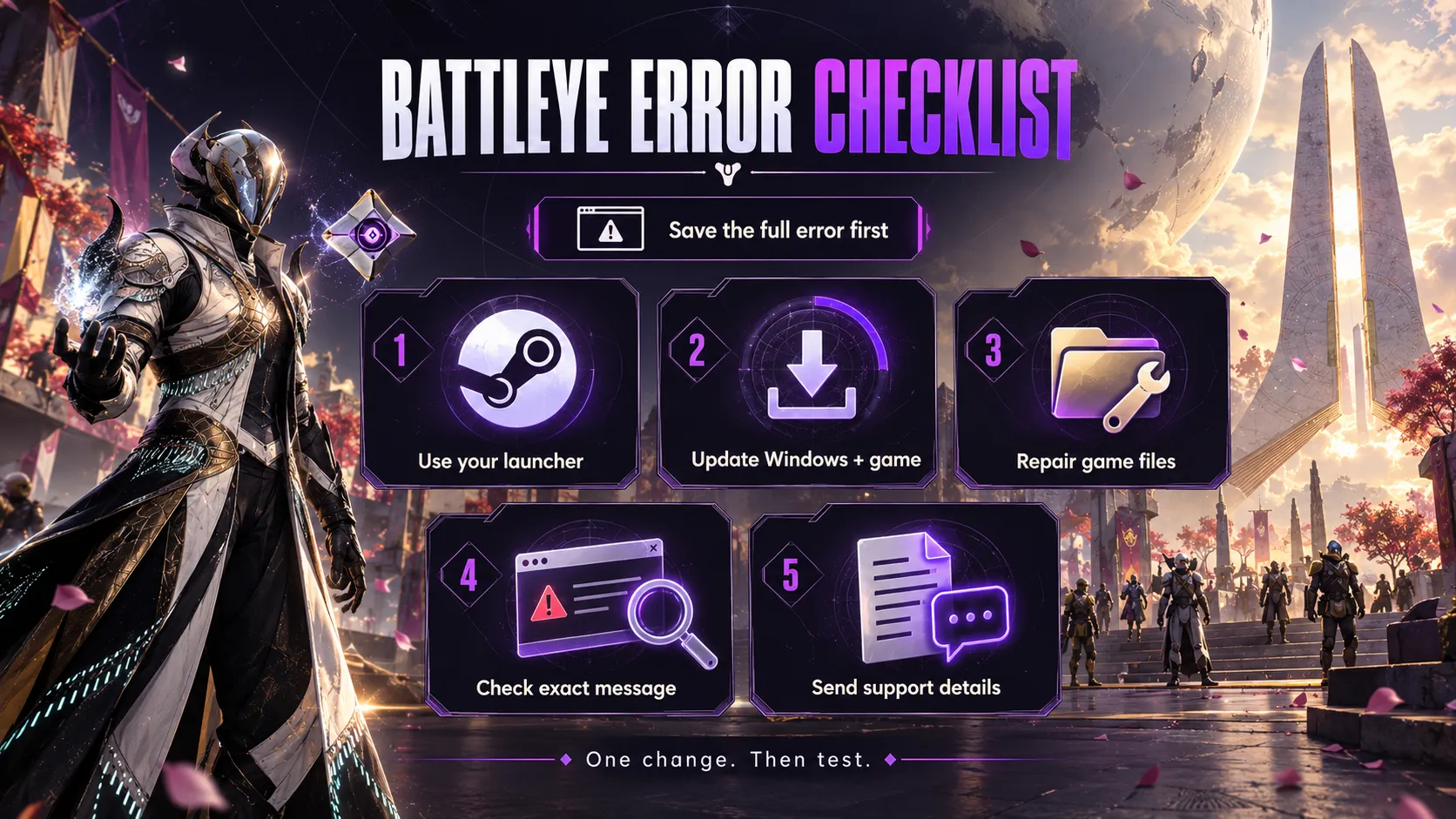
1. Start through the correct launcher
Close the game and start it through Steam, Microsoft PC, or Epic Games Store.
Allow the normal BattlEye installation prompt.
For PLUOT, this checks a cause Bungie specifically documents before you attempt a reinstall.
2. Update Windows and the game
Bungie’s PLUM guidance recommends checking for the latest Windows update.
Finish pending game updates too, then restart if the update process requests it.
Change one thing at a time and try launching again. That makes it easier to identify which change helped.
3. Repair the game installation
For missing BattlEye components, use your platform launcher’s file-verification or repair option.
Bungie’s PLUOT page recommends repairing Destiny 2 and lists reinstalling the game as another option.
Start with repair before committing to a full download.
Use files supplied with the game rather than replacement drivers from an unrelated download site.
4. Match the fix to the exact message
A failed update, blocked file, and driver-loading failure call for different checks.
Follow the relevant entry in the vendor FAQ instead of applying every fix from an old forum thread.
Do not treat disabling antivirus or Windows protections as a universal solution.
If security software names a blocked component, investigate that specific event first.
5. Prepare a useful support request
If the problem continues, record:
- Your launcher
- Your Windows version
- The exact error
- When it started
- The repairs already attempted
A short, reproducible description is more useful than “anti-cheat is broken.”
For a ban notice, switch to the appeal process. Reinstalling files is not an appeal.
What can get you banned in Destiny 2?
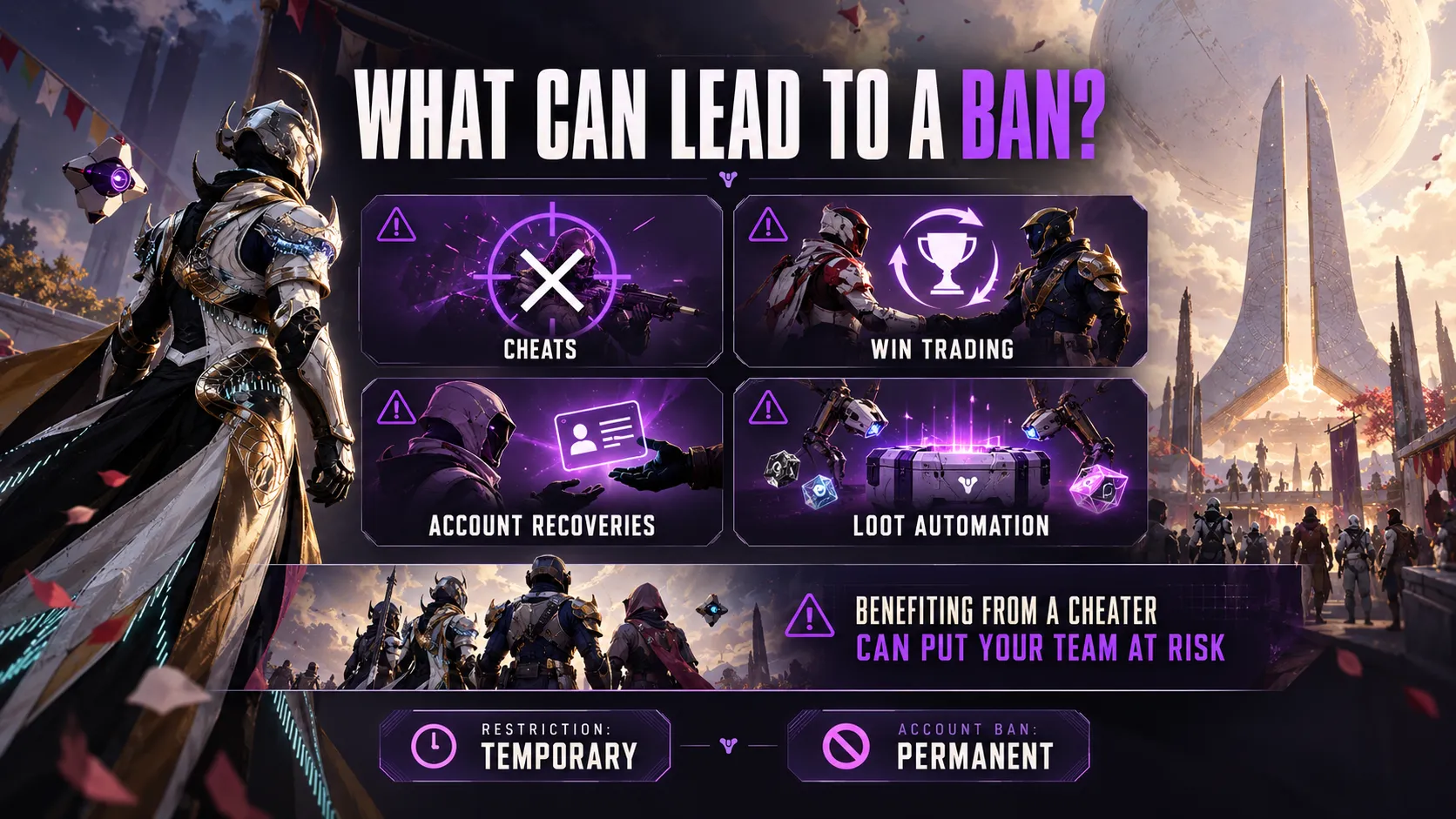
Bungie’s account restrictions and banning policy covers more than software aimbots.
Examples include win trading, account-recovery services, and prohibited loot automation.
PvE is covered too. Legitimate accessibility aids are distinguished from tools used to gain an advantage.
Restrictions are temporary; account bans are permanent. Device bans also affect other accounts using that hardware.
If you’re comparing features, our Destiny 2 cheat overview covers Aimbot, Player/NPC ESP, combat options, and setup support.
You can also check the current free-trial offer. No cheat can guarantee protection from detection or bans.
Can playing with a cheater get you banned?
Bungie says a team benefiting from cheating can face action.
Leave if you suspect a teammate is cheating.
Do not turn that into a claim that every random teammate receives an automatic ban. The October rewards incident shows why the circumstances matter.
Does Destiny 2 anti-cheat work on Steam Deck?
Destiny 2 does not support SteamOS/Proton.
Bungie makes an exception for Steam Deck running Windows and warns against bypassing the incompatibility.
Treat “Steam Deck hardware” and “SteamOS compatibility” as separate questions.
A claim that BattlEye works with Linux in another game does not establish support for Destiny 2.
How to report a suspected cheater or appeal a ban
Bungie recommends the in-game system in its reporting instructions.
During an activity:
- Open the Director and go to Roster.
- Select the player and open Details.
- Choose Report Player.
- Select the appropriate reason and submit.
If you cannot report in-game, the official reporting page provides a contact form.
A match-results link and relevant video can help document what happened.
Describe the behavior you observed; a frustrating death alone is not enough to establish cheating.
For your own account, the policy linked above leads to Bungie’s ban/restriction appeal form.
Submit relevant evidence and an accurate explanation.
Bungie does not guarantee a reply or a reversal, so an appeal should not be presented as a guaranteed unban method.
Key takeaways
- BattlEye is required for Destiny 2 on PC.
- Diagnose the exact error before changing settings.
- A launch problem and an account ban need different responses.
- SteamOS/Proton support cannot be inferred from other games.
- Use official reports for suspected cheating and appeals for account actions.
Destiny 2 anti-cheat FAQ
Does Destiny 2 use BattlEye or Easy Anti-Cheat?
Destiny 2 uses BattlEye on PC. Bungie’s support documentation names it explicitly.
When was BattlEye added to Destiny 2?
It arrived with Update 3.3.0 on August 24, 2021. That is its introduction date, not the date of the latest security change.
Can I play Destiny 2 without BattlEye?
Not on PC through the supported installation. BattlEye is required, including when you intend to play PvE.
Does BattlEye run when Destiny 2 is closed?
Bungie says its driver runs while Destiny runs. Installed files remaining on disk are a separate issue.
Does BattlEye lower FPS?
Bungie warned at launch that the additional work could affect performance and startup time. It did not provide a universal FPS-loss figure.
Does PLUM mean I am banned?
PLUM alone is not an explicit account-ban notice. Check the accompanying message and follow the troubleshooting steps above.
Can I get banned for using Discord or OBS?
Their ordinary use is not itself grounds for a ban, according to Bungie. Some features can still be incompatible.
Are anti-cheat rules limited to Crucible?
No. Bungie’s rules also cover PvE, including prohibited automation for earning loot.
Can I run Destiny 2 through Proton?
Bungie lists Proton as incompatible with Destiny 2 and warns against bypassing that incompatibility.
Can I appeal a Destiny 2 ban?
Yes. Bungie provides an appeal form, but submitting it does not guarantee a response or removal of the ban.