Destiny 2 streamproof cheats are advertised as keeping supported cheat visuals out of certain recordings or streams while those visuals remain visible on the player’s screen. The label leaves a practical question unanswered: which recording setup does it cover?
A clean-looking clip cannot answer that for every app or establish ban safety. We explain the visual limits, Destiny 2’s OBS restrictions, and the evidence a streamproof claim needs.
Table of contents
- What does streamproof mean in Destiny 2?
- Which visuals can streamproof cover?
- Does streamproof work with OBS in Destiny 2?
- What about Discord, clips and capture cards?
- Does streamproof prevent Destiny 2 bans?
- How to judge a streamproof claim
- What our Destiny 2 product lists
- Key takeaways
- Frequently asked questions
What does streamproof mean in Destiny 2?
Streamproof is a claim about captured output. Sellers also use terms such as stream-safe, streamable or capture exclusion, but a feature name alone does not define compatibility.
Think of a game scene and an added visual layer. A recording might include the scene without including that layer. This is a conceptual example, not a description of how every cheat is built.
The important distinction is between three separate claims:
| Label | What the claim concerns | What it cannot establish |
|---|---|---|
| Streamproof | Supported visuals missing from specified captured output | Compatibility with every recorder or capture route |
| Undetected | A provider’s claim about detection status | Permanent protection from detection or bans |
| Streamable | Suitability for streaming, often without a precise definition | Which elements, applications or platforms are covered |
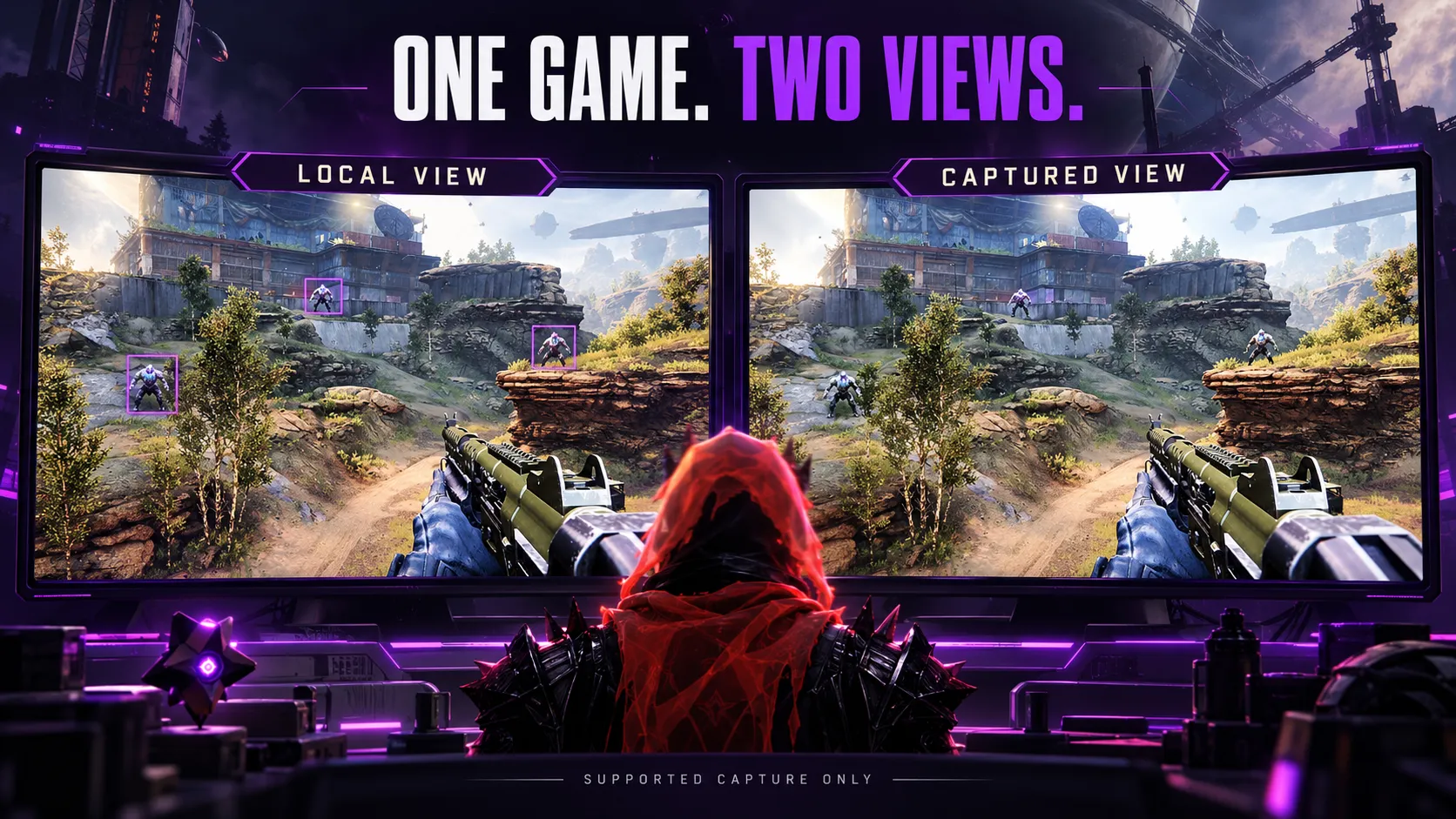
For example, a demonstration showing no ESP boxes in one recording establishes a result for that demonstrated setup. It does not establish that the menu, another recorder or a console capture behaves identically.
Ask what the label covers before treating it as a complete specification.
Which visuals can streamproof cover?
Streamproof listings commonly concern added visuals: ESP markers, aim indicators or menu windows. These are separate elements, so evidence about one should not silently become a promise about all of them.
Our Destiny 2 ESP and Wallhack page lists player and NPC visuals, distance indicators, 2D boxes and customizable colors. Those describe the available display features; capture compatibility is a separate question.
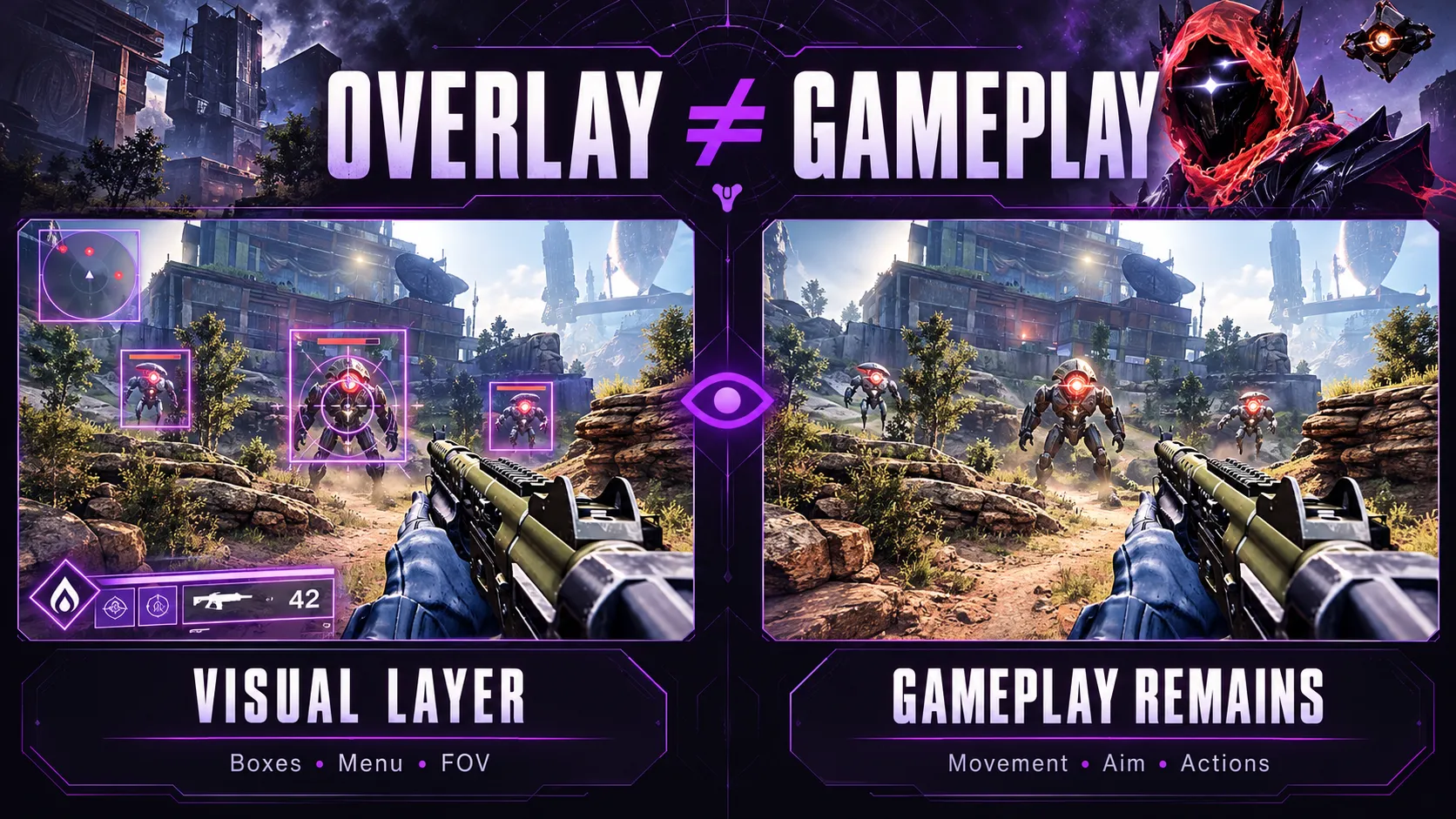
ESP and menus have separate visibility questions
A product could advertise capture handling for its ESP layer without documenting what happens to its configuration menu. A screenshot of a closed menu cannot establish whether the open menu would appear.
The same distinction applies to an aim indicator. Our Destiny 2 Aimbot features include a toggle for drawing the aimbot FOV. Whether a drawn indicator is captured needs its own evidence.
Gameplay remains part of the game image
Removing a visual overlay does not remove the gameplay beneath it. A recording still contains the camera movement and actions present in the captured game scene.
For instance, an absent aim circle says nothing about whether recorded tracking looks unusual. Streamproofing cannot make the existence or absence of a visible overlay the sole measure of what happened in a match.
Does streamproof work with OBS in Destiny 2?
There is no universal OBS answer without a specified capture source and product implementation. Destiny 2 also has a game-specific restriction that generic streaming guides often miss.
Bungie’s application compatibility guide says OBS and XSplit Game Capture are unsupported. It lists Window Capture and Screen Capture as supported options when playing in windowed mode, including borderless fullscreen.
That guidance establishes supported ways to record the game. It does not certify a cheat overlay’s behavior.
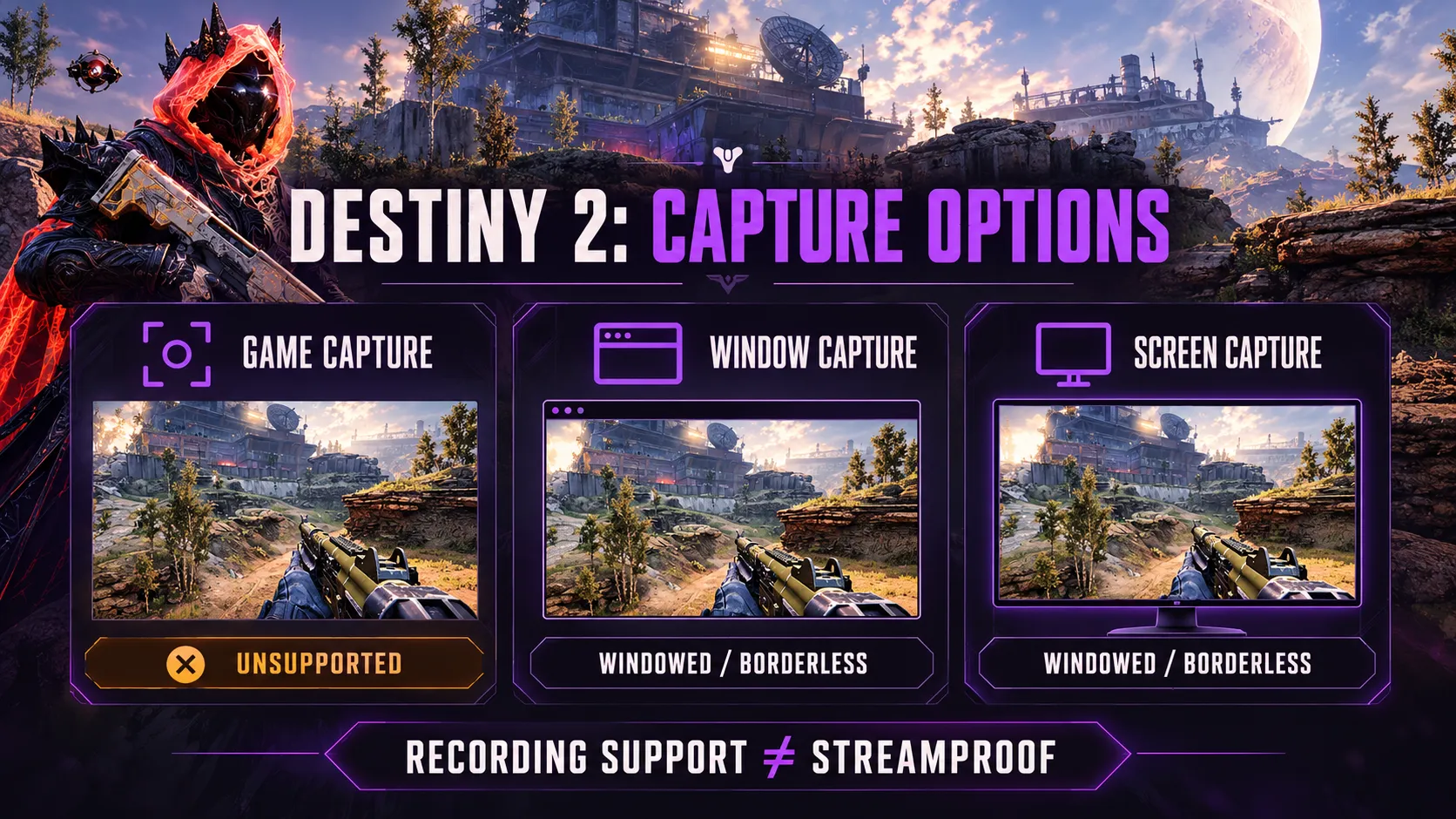
Compare the capture sources
| OBS source | Capture scope | Destiny 2 guidance | Streamproof implication |
|---|---|---|---|
| Game Capture | A supported game’s rendered output | Bungie lists it as unsupported | A generic Game Capture demonstration is insufficient |
| Window Capture | A selected window and its contents | Supported in windowed or borderless mode | Needs evidence for the particular overlay and capture method |
| Display Capture | The selected monitor | Bungie supports screen capture in windowed modes | Do not assume a result from Window Capture transfers |
OBS’s own troubleshooting guide independently recommends windowed or borderless fullscreen with Window Capture for Destiny 2. That is the relevant exception to generic advice recommending Game Capture first.
Window Capture and Display Capture are different
OBS describes Window Capture as capturing a selected window and its contents. It also offers a capture-method setting, so the source name is not the entire technical description.
OBS describes Display Capture as capturing the entire monitor. That broader scope makes it especially important to understand what else the recording includes, such as desktop content.
Neither description proves a particular cheat is excluded. Recording compatibility and overlay exclusion require separate evidence.
What about Discord, clips and capture cards?
An OBS demonstration does not establish the same result in Discord, a clipping app or another recorder. A claim should name the application and the capture or sharing method it covers.
“Works on stream” is too broad to settle whether a saved clip uses the same source, or whether a separate screen-sharing application produces the same output.
A capture card is a different route
Bungie’s compatibility guide includes supported hardware-capture options. That establishes a way to capture Destiny 2, not a guarantee that any added visuals disappear.
For a hardware setup, the relevant question is what is present in the video signal reaching the capture device. Without a clear account of that setup, “capture-card safe” remains an unverified claim.
A physical camera has a simpler boundary: if a phone films an overlay visible on the monitor, software capture exclusion cannot remove it from the camera image.
PC evidence does not establish console behavior
Our Destiny 2 PC information concerns a different platform context from native console sharing. A Windows recording demonstration cannot establish what a PS5 or Xbox capture includes.
For the setups described on our Destiny 2 PS5 page and Destiny 2 Xbox page, platform support and capture behavior need separate explanations. Do not treat a platform label as proof of native console streamproofing.
Does streamproof prevent Destiny 2 bans?
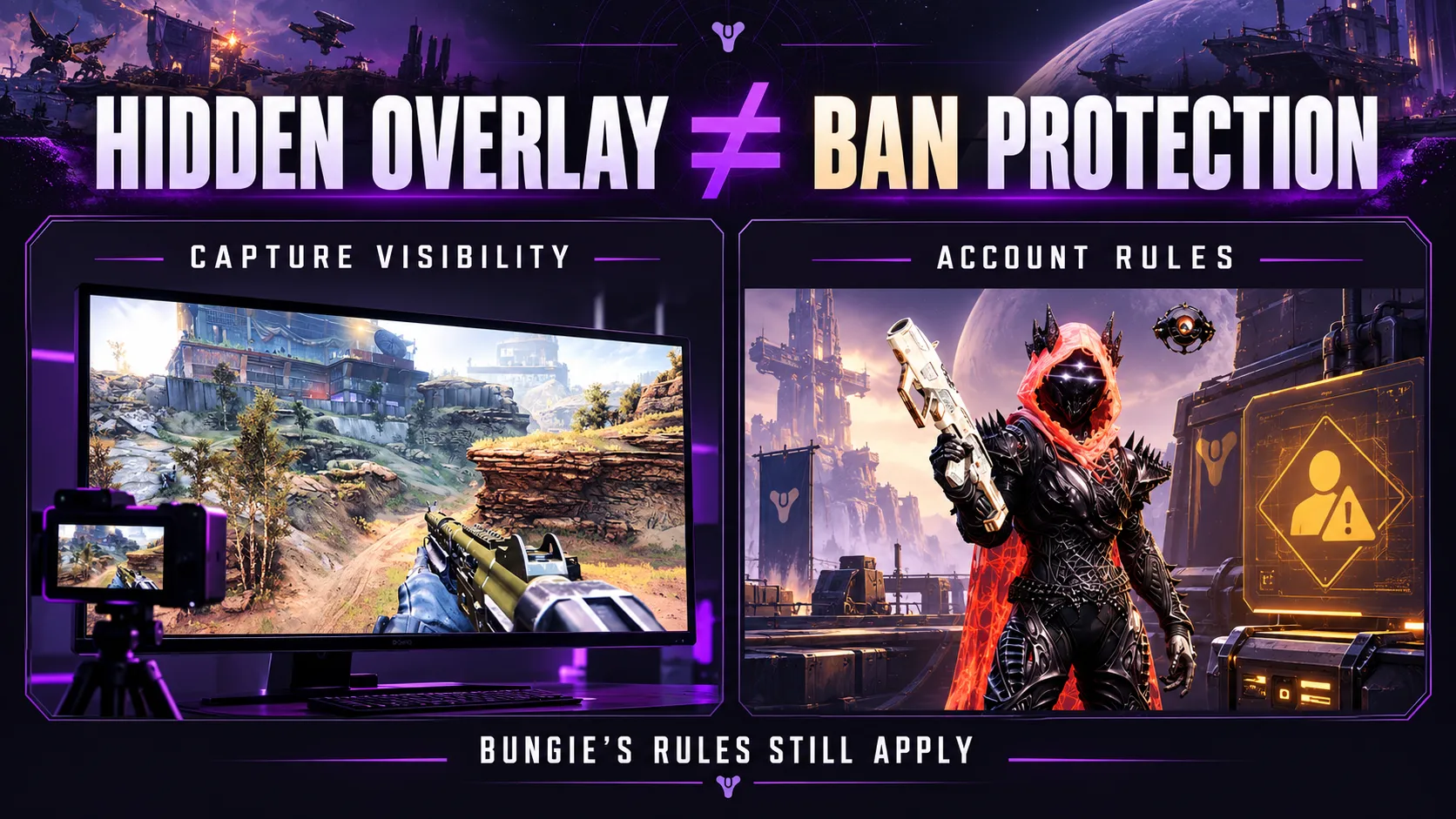
No. Streamproof does not establish protection from anti-cheat detection or account enforcement. A recording result concerns captured visuals; enforcement concerns the underlying activity and Bungie’s rules.
Bungie’s account restrictions and banning policy identifies cheats, aimbots, autofire and other prohibited software or behavior as grounds for action. It also distinguishes ordinary use of applications such as OBS from using software to violate its rules.
The policy does not grant an exception because an overlay is absent from a stream. Playing PvE does not create that exception either.
“Undetected” and “streamproof” therefore answer different questions. A provider’s current status claim cannot become a permanent guarantee simply because a clip contains no visible markers.
To avoid the enforcement risk associated with prohibited cheats, do not use them. Changing how gameplay is recorded does not make their use permitted.
How to judge a streamproof claim
A useful claim identifies its scope. Before comparing products or interpreting a demonstration, look for these details:
- Application: Which recorder or sharing app is covered?
- Source: Is the claim about a window, a display or another capture route?
- Elements: Does it cover ESP, the menu, aim indicators or only selected visuals?
- Version: Which product build and recording-software version were demonstrated?
- Platform: Was the evidence produced on PC or the actual console setup being discussed?
These questions help distinguish documented behavior from a broad marketing label. They do not establish permission to use prohibited software.
Read demonstrations narrowly
A video showing one application and one source supports a narrower conclusion than “invisible everywhere.” A result from an older build also leaves the current build unconfirmed unless there is current evidence.
Likewise, a screenshot cannot establish continuous behavior throughout a recording. Missing details should remain unconfirmed, rather than being filled in with assumptions about how a competing product works.
The most useful comparison is between stated scope and demonstrated scope. A longer feature list does not resolve a missing compatibility detail.
What our Destiny 2 product lists
We list “Streamable / streamproof” in our Destiny 2 package, alongside Player/NPC Aimbot, ESP and other features. Our public listing also describes support and access options.
For the listed package and available support, review our Destiny 2 cheat features and access. Keep capture compatibility separate from detection claims when considering any feature description.
Key takeaways
- Streamproof concerns captured visuals. Its scope needs to be specified.
- Destiny 2 has an OBS Game Capture restriction; follow the game-specific documentation.
- Hidden overlays do not remove recorded gameplay or establish ban protection.
- PC, console, software and hardware capture claims need evidence for their own setups.
Frequently asked questions
What are Destiny 2 streamproof cheats?
They are cheats advertised as keeping supported overlay elements out of certain recordings or streams while those elements remain visible locally. The claim concerns capture visibility. It does not establish anti-cheat protection.
Does streamproof mean undetected?
No. Streamproof describes whether supported visuals appear in captured output, while undetected describes a separate claim about anti-cheat detection. Neither label guarantees that an account will avoid enforcement.
Does OBS Game Capture work with Destiny 2?
Bungie says OBS Game Capture is unsupported for Destiny 2. OBS recommends Window Capture with the game in windowed or borderless fullscreen mode. Generic advice for other games should not override that guidance.
Does streamproof hide an aimbot?
It can refer to hiding supported visual indicators, such as an aim circle. It does not remove camera movement, target tracking or other gameplay already present in the recorded game image.
Can streamproof hide ESP from every recorder?
A streamproof label alone does not establish that. Compatibility must specify the recorder, capture source, product build and platform. Evidence from one setup cannot establish every other setup.
Does streamproof work with Discord screen sharing?
Do not infer Discord compatibility from an OBS demonstration. A claim needs to cover Discord and the particular sharing method involved. Without that evidence, compatibility remains unconfirmed.
Does Display Capture always show every overlay?
No universal result follows from the source name alone. Display Capture targets the monitor, but a particular overlay’s inclusion depends on how it is rendered and captured. Product-specific evidence is still needed.
Can streamproof hide visuals from a phone camera?
No. A phone camera pointed at the monitor records the light coming from that screen. Software capture exclusion cannot remove something that is physically visible to the camera.
Does a PC streamproof claim apply to PS5 or Xbox?
No. A Windows recording demonstration does not establish native console sharing or capture behavior. Console compatibility needs its own explanation and evidence.
Are streamproof cheats allowed in Destiny 2 PvE?
No. Bungie’s restrictions on cheats apply beyond Crucible. Hiding an overlay or playing only PvE does not grant permission to use prohibited software.